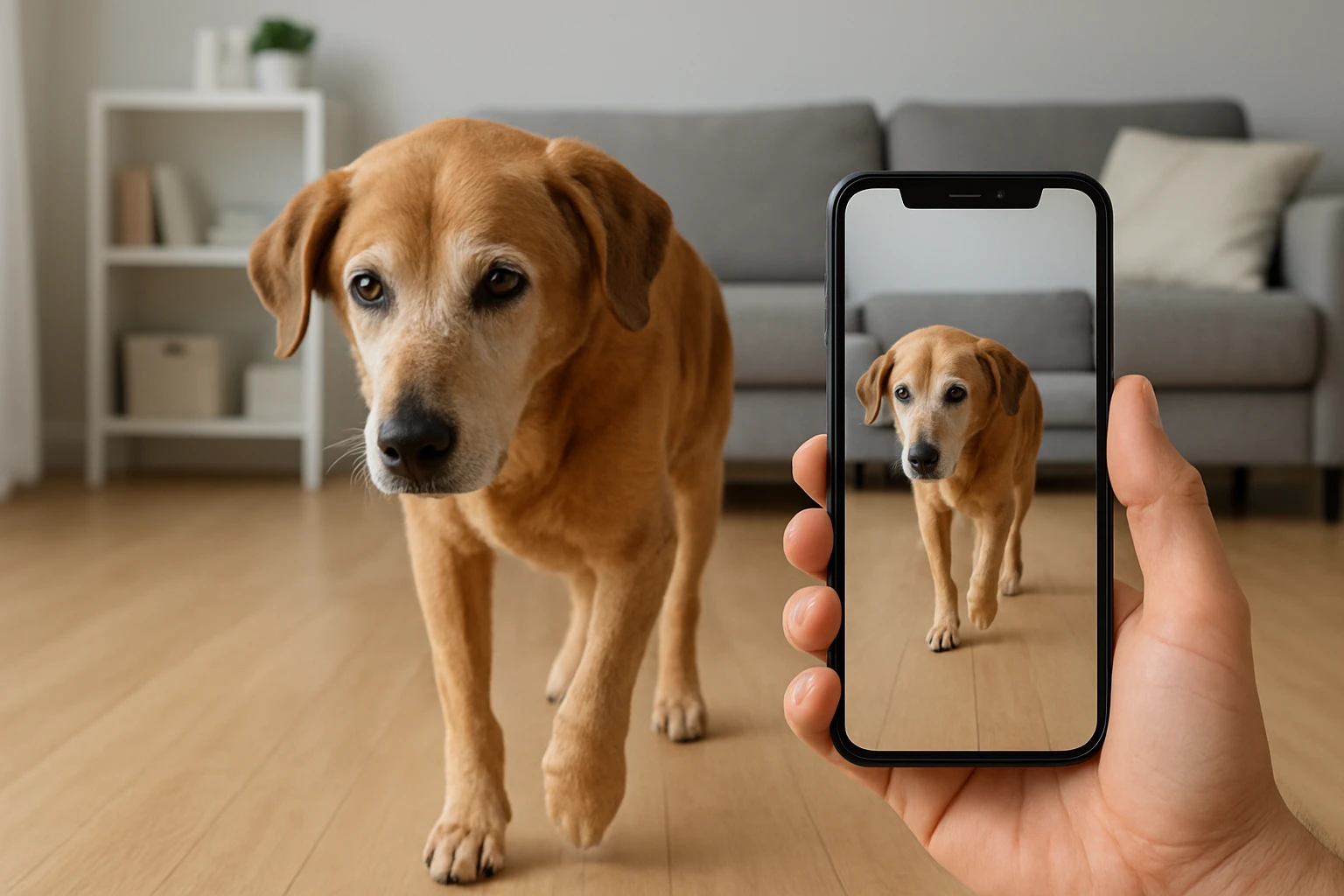

Smartphone Video Mobility Monitoring for Senior Dogs: The Complete Guide to Tracking Gait, Detecting Pain, and Preventing Falls
Introduction
Senior dogs often experience subtle changes in gait that can indicate pain, arthritis, or neurological issues. This guide explains how owners can use smartphone video to monitor mobility, interpret gait patterns, and intervene before serious injuries occur. Readers will learn foundational biomechanics, practical video‑capture techniques, and how specific monitoring devices enhance observation accuracy. By the end of the article, one will be equipped to choose suitable tools, apply best‑practice protocols, and answer common concerns about senior‑dog mobility.
Background and Context
Canine gait analysis relies on visual cues such as stride length, limb symmetry, and weight‑bearing distribution. Age‑related degeneration often manifests as shortened strides, limping, or hesitancy to jump. Traditional veterinary gait labs use force plates and high‑speed cameras, but most owners lack access to such equipment. Modern smartphones, with high‑definition sensors and ample storage, provide a cost‑effective alternative for continuous monitoring. Coupled with intelligent indoor security cameras, owners can capture footage without disrupting the dog’s routine.
Key terminology includes:
- Stride length: distance between successive footfalls of the same limb.
- Symmetry index: ratio comparing left‑right limb motion; values deviating from 1.0 suggest imbalance.
- Weight‑bearing: proportion of body weight supported by each limb during stance.
Understanding these concepts enables owners to differentiate normal age‑related slowing from pathological pain. Video analysis software, even basic frame‑by‑frame playback, can reveal deviations that are invisible in real time.
Choosing a Video Capture System
While a smartphone alone can record, integrating a dedicated security camera offers continuous, remote monitoring and two‑way audio for reassurance. The following products have been selected for their relevance to senior‑dog mobility monitoring.
1. Kasa Pan/Tilt Security Camera
The Kasa Pan/Tilt Security Camera delivers 1080p HD video with 360° coverage through motorized pan and tilt. Its motion detection alerts allow owners to review sudden movements without manually checking the feed. The device supports local storage on a MicroSD card up to 256 GB, eliminating subscription costs. With a rating of 4.4/5 from over 33,000 reviews and a price of $21.95, it balances affordability with reliable performance.
2. Blink Mini Indoor Security Camera
The Blink Mini is a compact plug‑in camera offering 1080p video, night vision, and two‑way audio. Its motion‑zone customization helps focus on high‑traffic areas where a senior dog moves most frequently. Although cloud storage requires a subscription, local storage via the optional Sync Module 2 provides a cost‑free alternative. Priced at $14.99 and rated 4.4/5 from more than 309,000 reviewers, it is an excellent entry‑level option.
3. Arenti 5G Indoor Security Camera
The Arenti 5G Indoor Security Camera features 4MP resolution (2.5K) and dual‑band Wi‑Fi for stable streaming. AI‑driven human motion detection reduces false alerts from pets, while auto‑tracking keeps the dog centered in the frame. Night vision extends to 32 ft, ensuring clear footage even in low‑light conditions. At $19.97 with a 4.4/5 rating from 2,766 reviews, it offers premium imaging for detailed gait analysis.
4. Dogtra Pathfinder 2 GPS Dog Collar
For outdoor monitoring, the Dogtra Pathfinder 2 GPS Dog Collar provides real‑time location tracking over a 9‑mile range. While not a video device, its ability to log movement patterns complements indoor video analysis, especially for dogs that spend time in yards. The collar includes e‑collar commands, LED locate light, and a free app with offline maps. Priced at $426.99 and rated 4.6/5 from 568 reviews, it is the premium solution for comprehensive mobility monitoring.
Comparison and Selection Guide
| Feature | Kasa Pan/Tilt | Blink Mini | Arenti 5G | Dogtra Pathfinder 2 |
|---|---|---|---|---|
| Resolution | 1080p | 1080p | 4MP (2.5K) | GPS tracking only |
| Pan/Tilt | Yes (motorized) | No | Auto‑tracking AI | No |
| Night Vision | 30 ft | Yes (infrared) | 32 ft | None |
| Local Storage | MicroSD up to 256 GB | Sync Module 2 (optional) | MicroSD up to 256 GB | None |
| Price (USD) | $21.95 | $14.99 | $19.97 | $426.99 |
| Rating | 4.4/5 (33,392 reviews) | 4.4/5 (309,460 reviews) | 4.4/5 (2,766 reviews) | 4.6/5 (568 reviews) |
Owners seeking detailed gait footage should prioritize resolution and auto‑tracking; the Arenti 5G excels in these areas. For budget‑conscious households, the Blink Mini provides essential coverage with minimal setup. When outdoor range is critical, the Dogtra Pathfinder 2 adds GPS‑based movement logs that can be correlated with indoor video data.
Best Practices & Tips for Video‑Based Mobility Monitoring
- Standardize Camera Placement: Position the camera at a height of 3‑4 feet, angled to capture the full length of the walking path. Consistent placement allows longitudinal comparison of stride length.
- Use Consistent Lighting: Record at the same time of day or enable night‑vision mode to avoid shadows that distort perception of limb movement.
- Mark Reference Points: Place tape markers on the floor at known intervals (e.g., every 12 inches). This provides a scale for measuring stride length during frame‑by‑frame analysis.
- Record Multiple Gaits: Capture walking, trotting, and climbing stairs. Different activities reveal distinct stress patterns on joints.
- Leverage Motion Alerts: Enable motion detection on the chosen camera so you receive notifications when the dog begins a new activity, reducing unnecessary footage review.
- Synchronize Video with Health Logs: Note the date, time, and any observed pain behaviors (e.g., limping) in a journal. Correlating these notes with video timestamps improves diagnostic accuracy.
- Utilize Free Editing Tools: Applications such as VLC or open‑source Tracker allow frame‑by‑frame playback and simple distance measurements without expensive software.
Frequently Asked Questions
1. How often should I record my senior dog’s gait?
Recording twice weekly provides sufficient data to detect gradual changes while avoiding data overload. Increase frequency if you notice sudden limping or after veterinary interventions.
2. Can I rely solely on smartphone video for a medical diagnosis?
No. Video monitoring is a screening tool that helps identify concerning trends. A veterinarian should evaluate any persistent abnormalities.
3. Do I need a subscription for cloud storage?
All featured cameras support local MicroSD storage, eliminating mandatory subscriptions. Cloud plans are optional for remote backup.
4. How does AI motion detection differ from basic motion alerts?
AI algorithms, like those in the Arenti 5G, differentiate between human and pet movement, reducing false positives caused by shadows or small animals.
5. Is the Dogtra Pathfinder 2 suitable for indoor use?
While primarily an outdoor GPS tracker, the collar’s LED locate light can aid indoor locating, but it does not provide video. Pair it with an indoor camera for comprehensive coverage.
6. What is the best way to share footage with my veterinarian?
Export short clips (30‑60 seconds) that highlight the gait irregularity, then upload them to a secure file‑sharing service or send via email. Include the date, time, and any relevant health notes.
7. How can I reduce my dog’s anxiety during video recording?
pPlace the camera in a familiar area, use a calm voice, and avoid direct staring. Two‑way audio on devices like the Blink Mini lets you reassure the dog in real time.
Conclusion
Smartphone video, when paired with purpose‑built indoor cameras and optional GPS collars, offers a powerful, low‑cost solution for monitoring senior‑dog mobility. By understanding gait fundamentals, employing consistent recording practices, and selecting the appropriate hardware, owners can detect pain early, prevent falls, and improve quality of life for their aging companions. Continuous observation combined with veterinary guidance creates a proactive health‑management strategy that benefits both dog and owner.
Products Featured in This Guide
Kasa Pan/Tilt Security Camera
Price: $21.95 | Rating: 4.4/5 (33,392 reviews)
Featured for its 1080p pan/tilt video, local MicroSD storage, and motion alerts that enable continuous gait monitoring without subscription fees.
Blink Mini
Price: $14.99 | Rating: 4.4/5 (309,460 reviews)
Featured for its compact design, two‑way audio, and customizable motion zones that make indoor monitoring simple and affordable.
Arenti 5G Indoor Security Camera
Price: $19.97 | Rating: 4.4/5 (2,766 reviews)
Featured for its 4MP resolution, AI‑driven motion detection, and auto‑tracking, providing crystal‑clear footage for detailed gait analysis.
Dogtra Pathfinder 2 GPS Dog Collar
Price: $426.99 | Rating: 4.6/5 (568 reviews)
Featured for its real‑time GPS tracking, e‑collar commands, and free mapping app, extending mobility monitoring to outdoor environments.


